Kvik's Mediabank is a database that shows a collection of media assets owned by Kvik A/S. By downloading the images, the user accepts the condition of copyright of the medias. To access the high resolution of images, please visit: https://mediabank.kvik.perfioncloud.com/
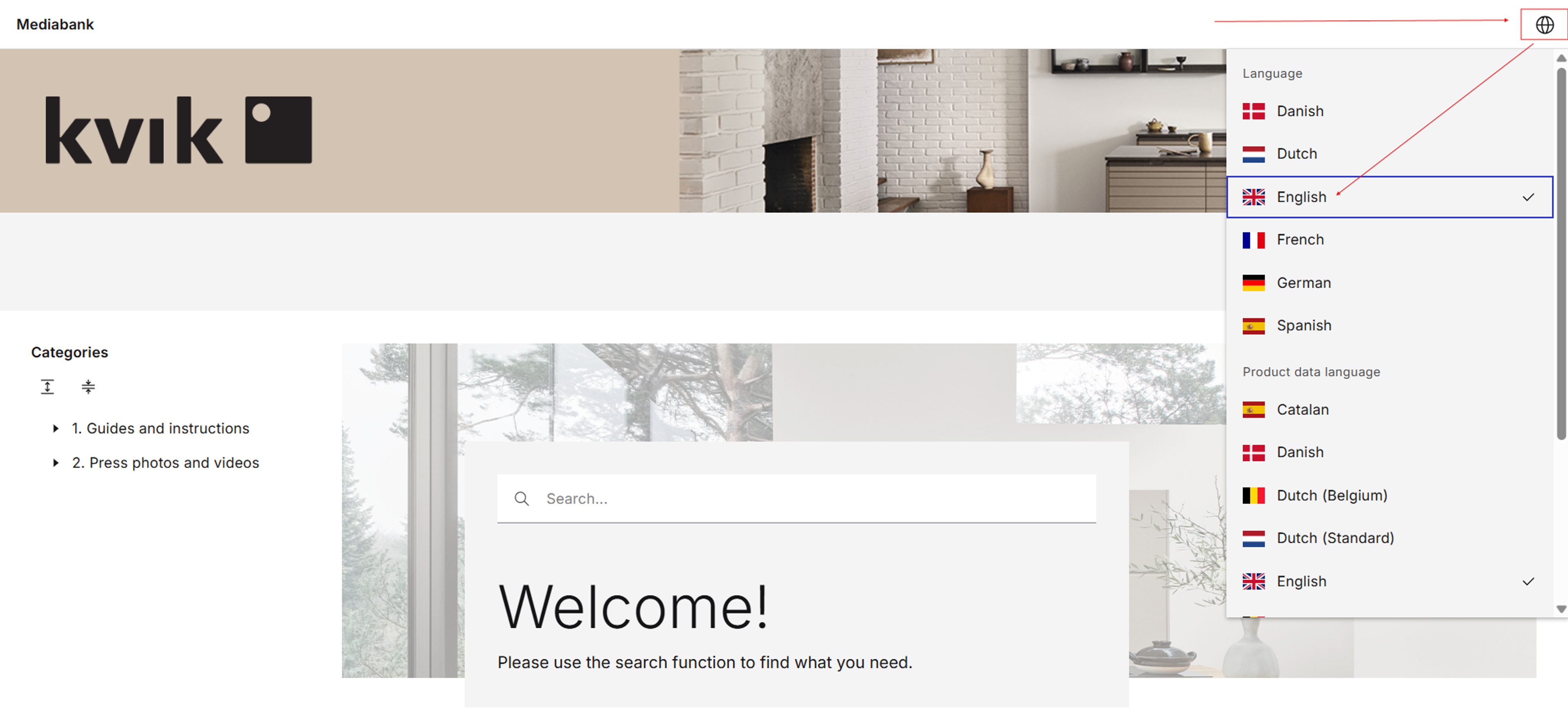
Home view
This is the default home view. Start by choosing the language in the top-right corner.
Images
Decide whether you want to view our assembly instructions or photos. If you wish to see our images, please filter on images to the left as indicated in the screenshot:
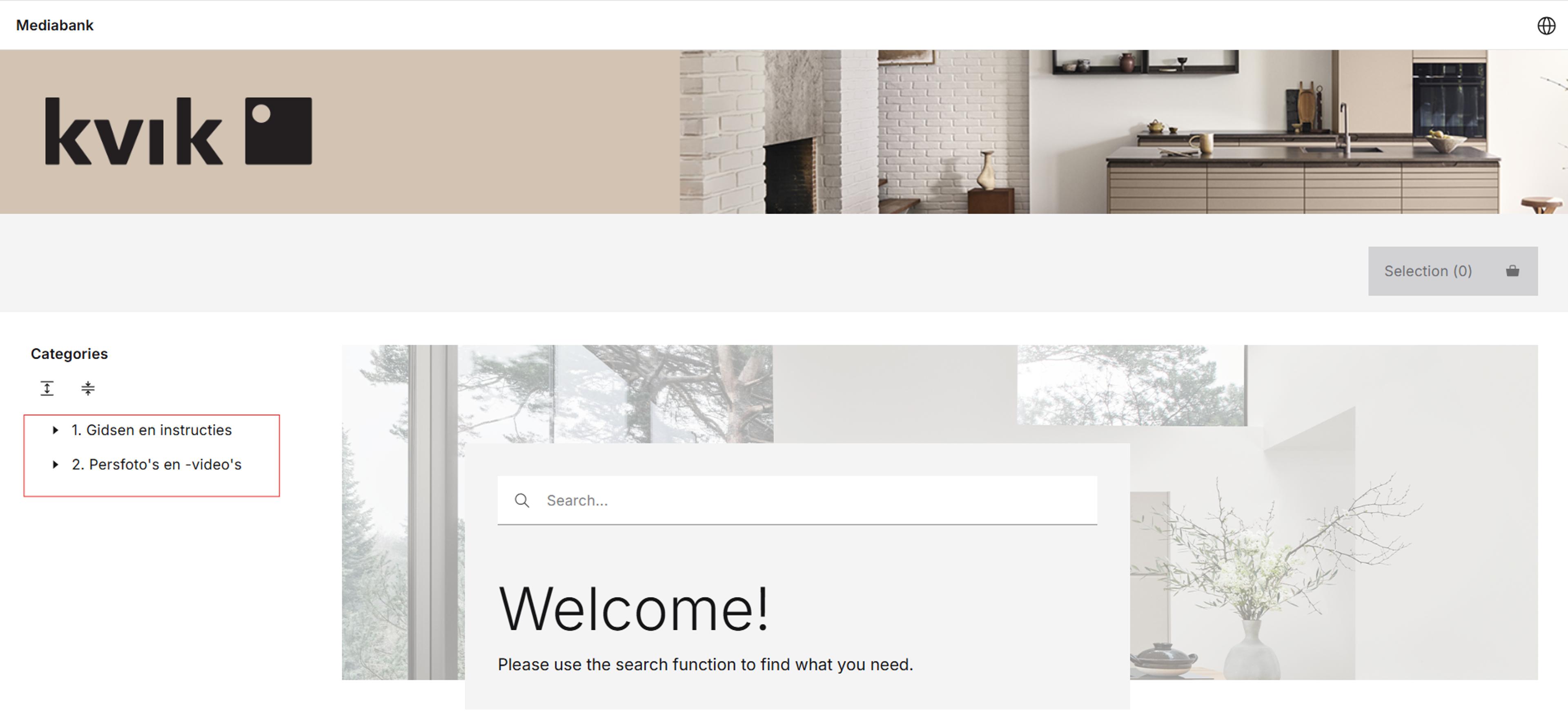
Images
After filtering on images, you are able to search for specific images you wish to see. This is done by using the page filter highlighted below:
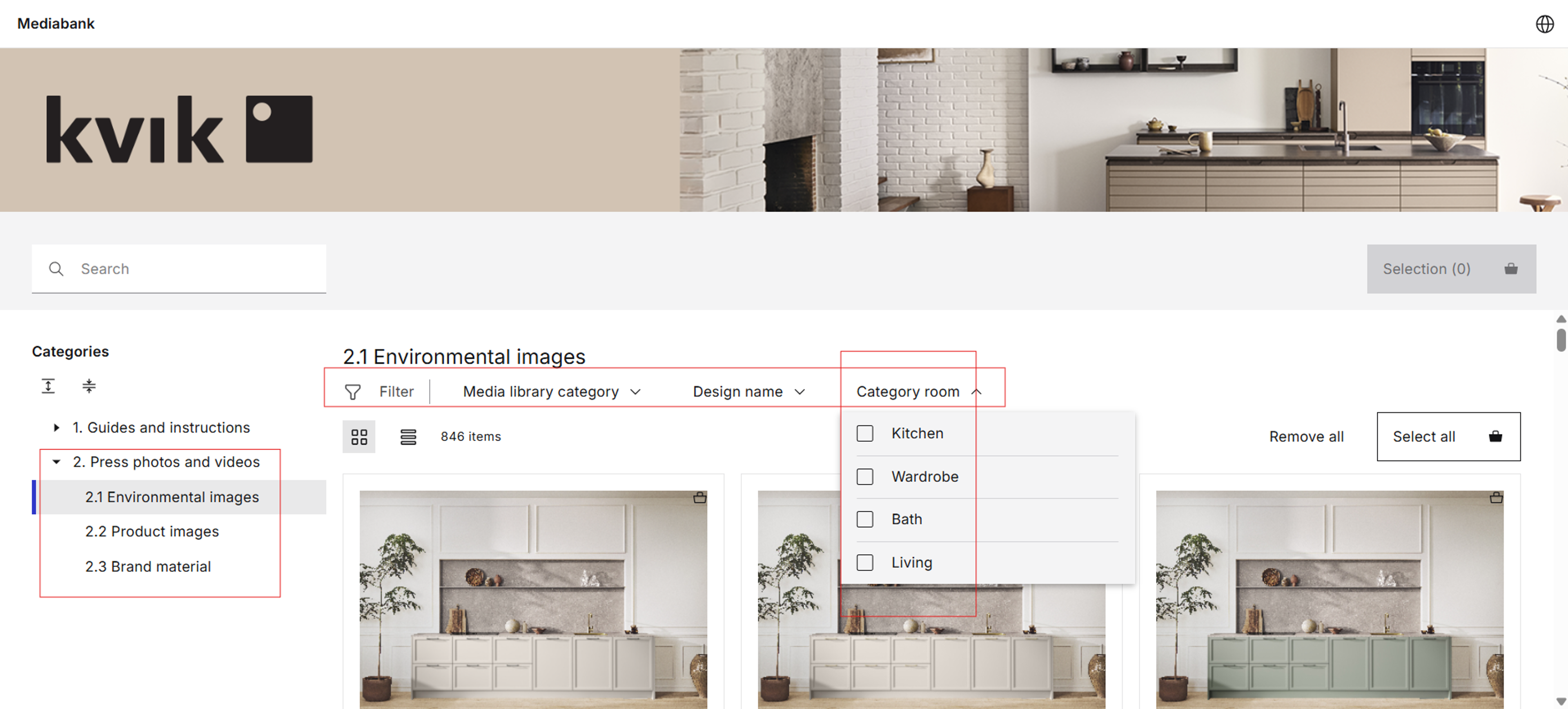
Searching
To download an asset or multiple assets by selecting more than one, click on the little icon to add the assets to the basket.
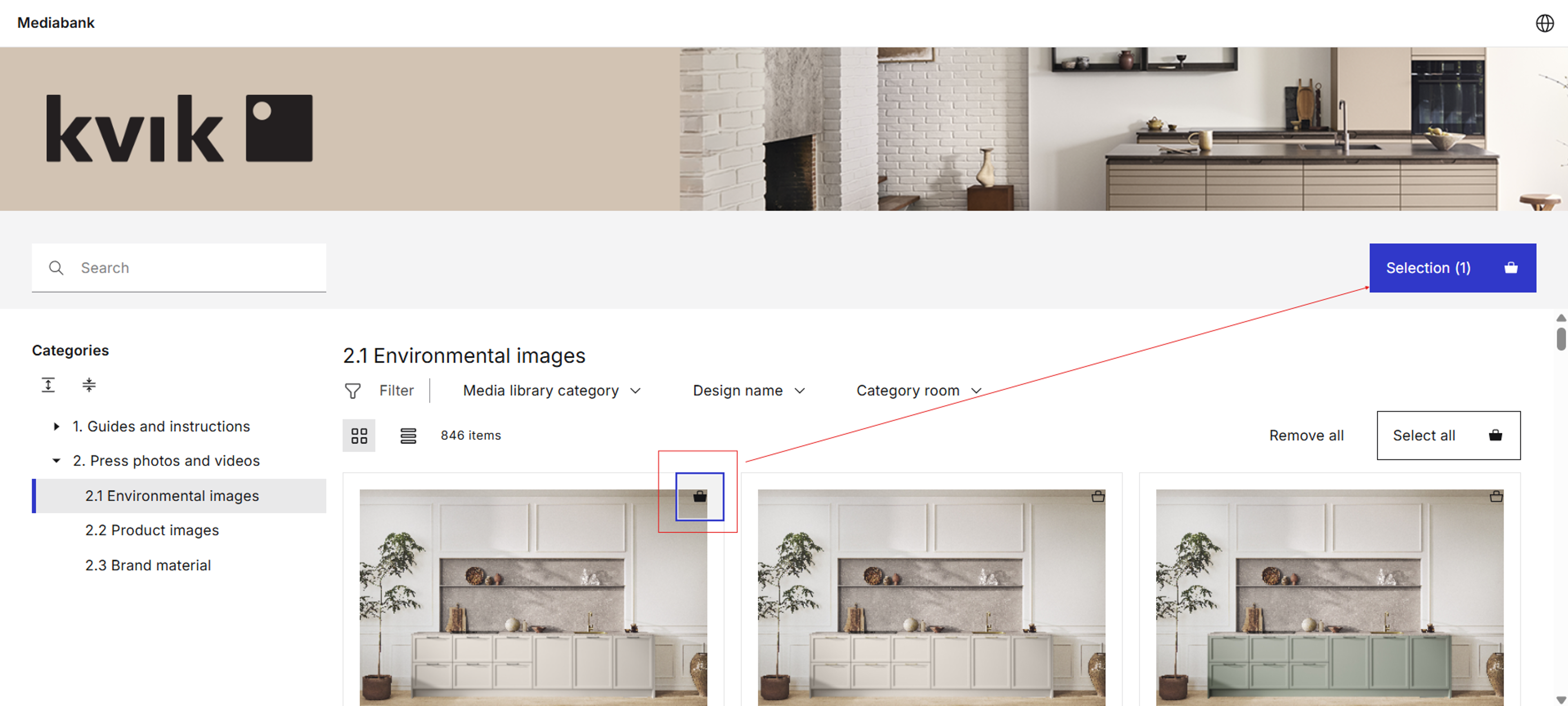
Downloading assets
Now you have the overview of all the assets you have selected. Please press download.
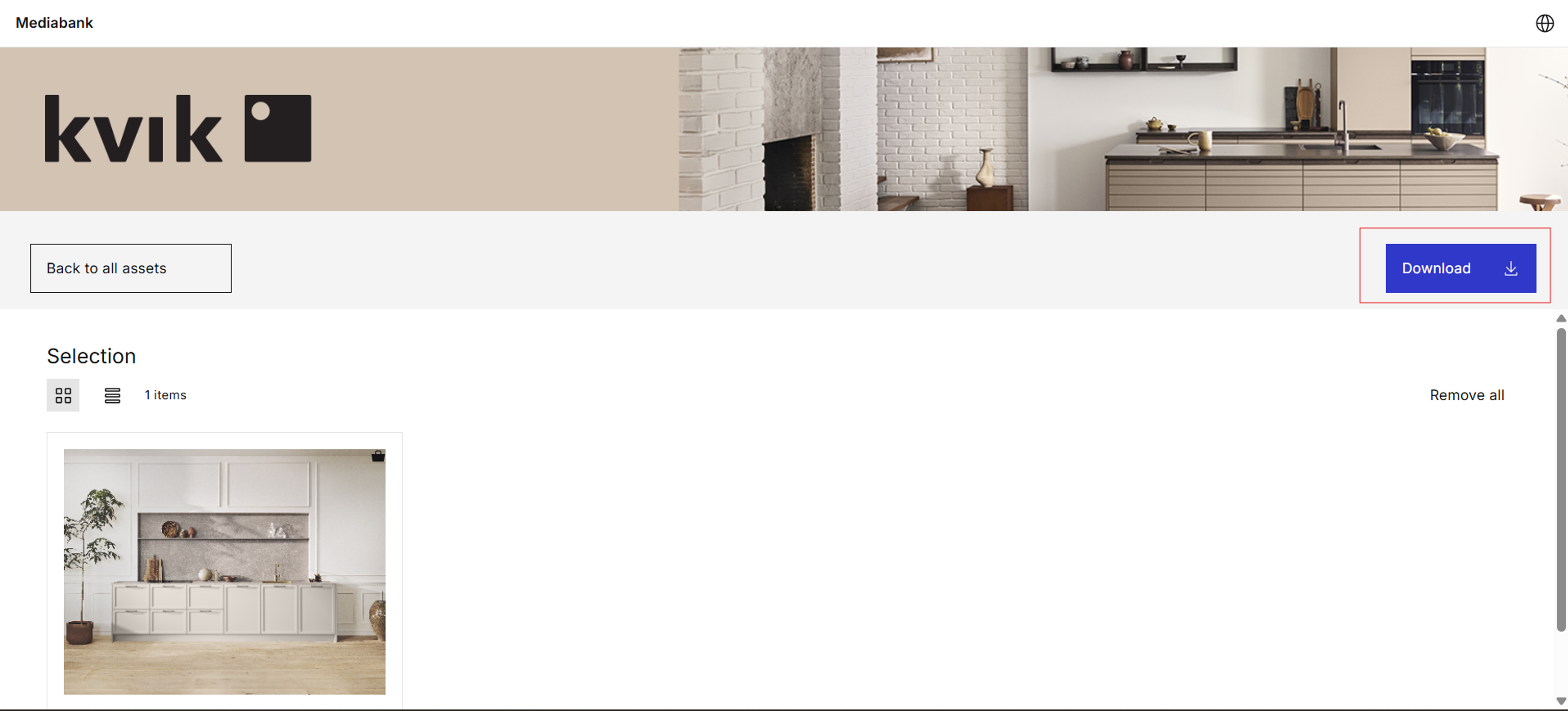
Confirming your download
Before downloading your assets, you're promted with a final confirmation of the download. Once again, click on the download icon highlighted below:
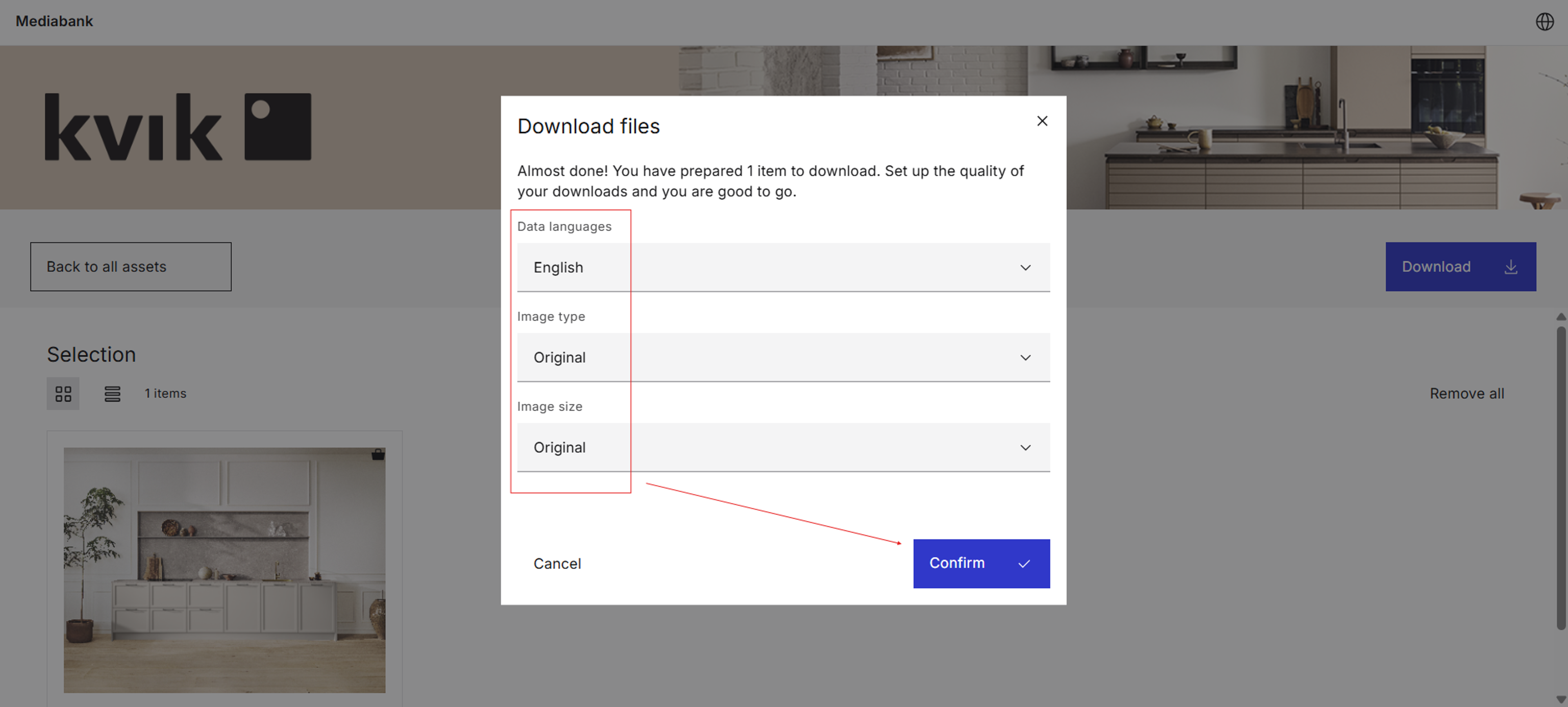
Confirming your download
Now choose if you want the assets to download directly to your device or get them all sent to your email.
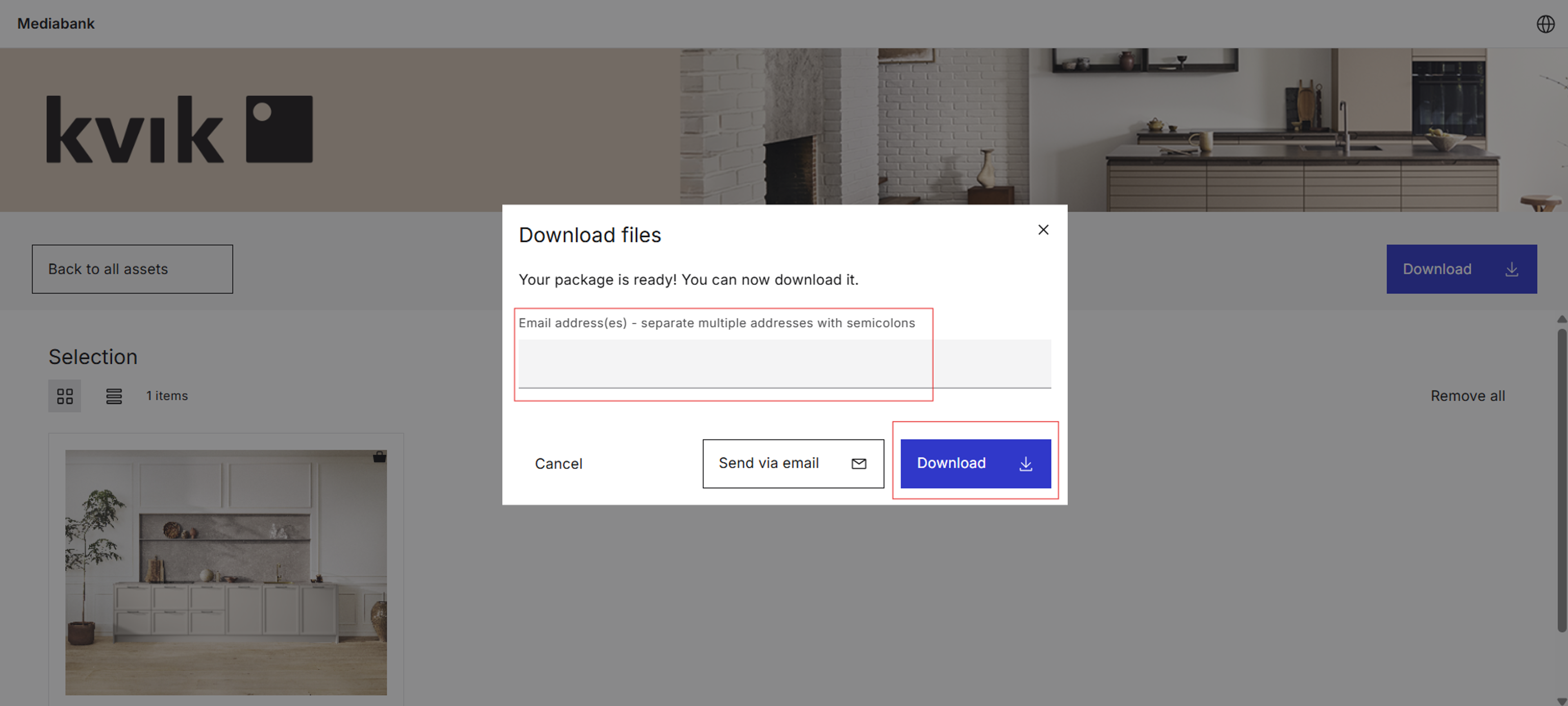
Questions and contact:
In case of questions, please contact the responsible marketing manager for each market.